Your Data Stays in Your Browser
Nothing leaves your device unless you turn on cloud sync. No account needed to build or export a resume.
Paste your AI draft. Pick a template. Interview-ready in 60 seconds. Works with ChatGPT, Claude, Gemini, or any AI — 32 ATS-friendly templates, 6 languages, no account needed.
The missing step in your AI workflow
ChatGPT, Claude, Gemini, and any other AI write strong resume content — action verbs, quantified achievements, industry keywords. They give you plain text. ResumeMD turns that into an interview-ready PDF.
Use ChatGPT, Claude, Gemini, or any AI to generate your resume content with strong action verbs and quantified achievements.
Paste your AI-generated text into ResumeMD. Pick from 32 ATS-friendly templates and see it render live.
Export an interview-ready PDF that looks like you hired a designer. Ready in 60 seconds.
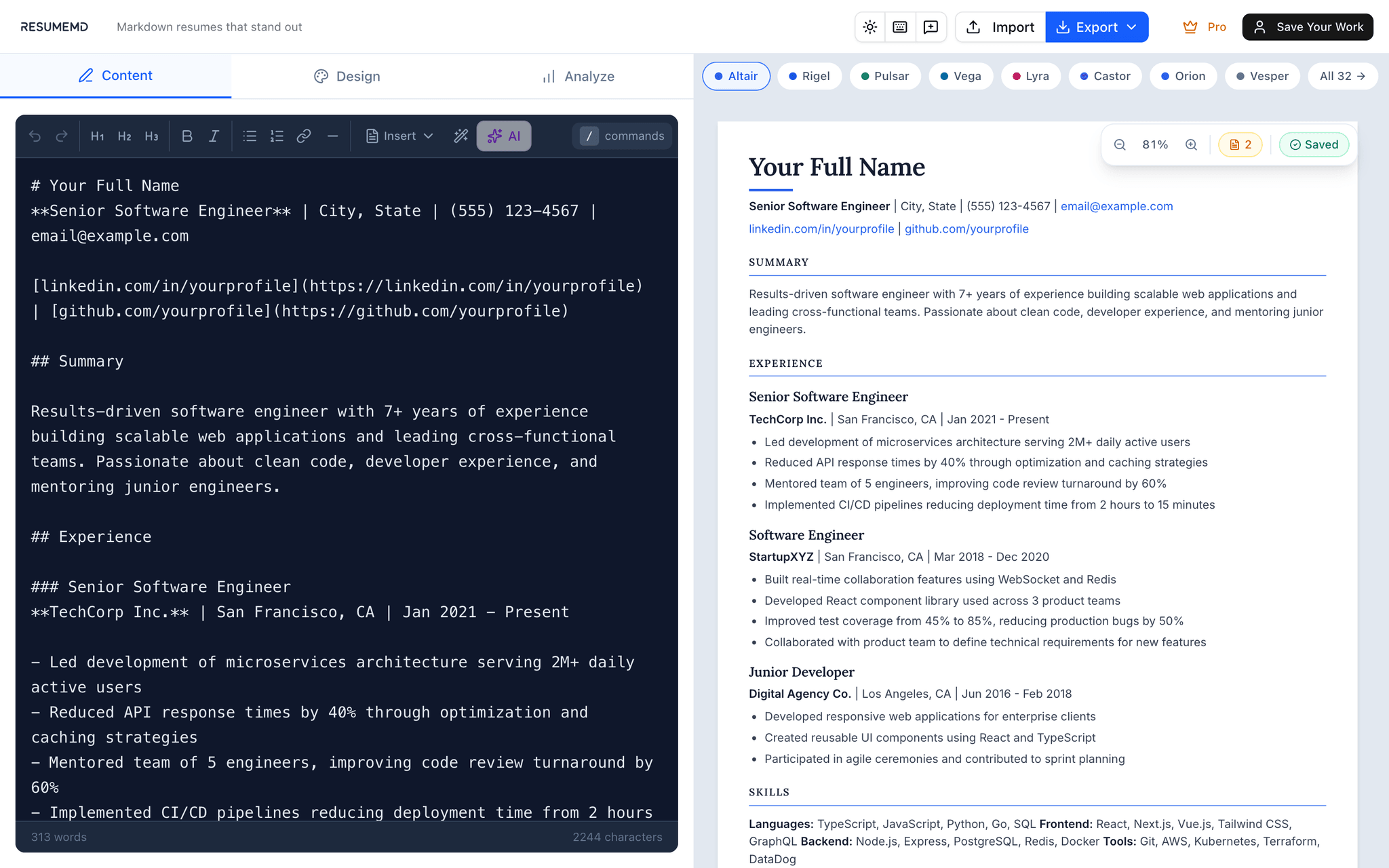
You spent 20 minutes crafting the perfect AI prompt. Don’t waste 2 hours making it look professional.
Professional resume building tools designed for modern job seekers
Nothing leaves your device unless you turn on cloud sync. No account needed to build or export a resume.
Focus on content with clean Markdown syntax. No wrestling with Word formatting.
32 templates designed by professionals for every industry — switch between them with one click, your content untouched.
Every template exports selectable text, never an image, so it parses cleanly in applicant tracking systems. Free analytics cover readability and keywords; the ATS score is Pro.
Job tailoring and AI suggestions reorder, rephrase, and emphasize what you already wrote. They never add an employer, date, degree, or skill you did not list — and where a metric belongs you get a bracketed placeholder to fill in, not a number we invented.
Split-pane editor with live preview. What you see is what you export.
Export production-ready PDFs with clean formatting. Every character renders correctly — in all 6 languages — and every template is ATS-friendly.
Write in Chinese, Japanese, Korean, Arabic, or Hindi. 6 languages with fonts embedded directly in the PDF, so characters render the same everywhere you send it.
Colors, fonts, margins, spacing — total control over your resume design.
Optional account for multi-device sync. Start local, upgrade when ready.
Have your AI draft ready?
Try It Free — No Signup32 professionally designed templates for every industry and career level
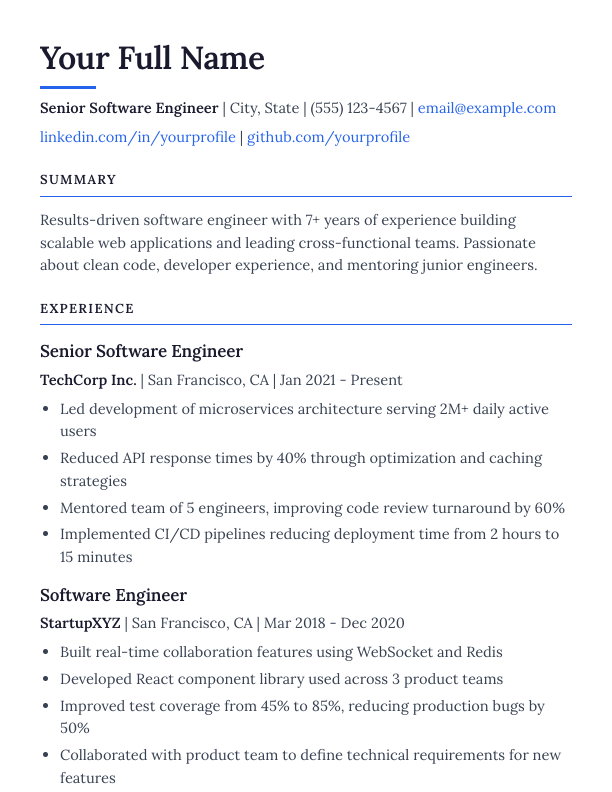
Timeless serif typography with an accent underline beneath your name and bordered section headers
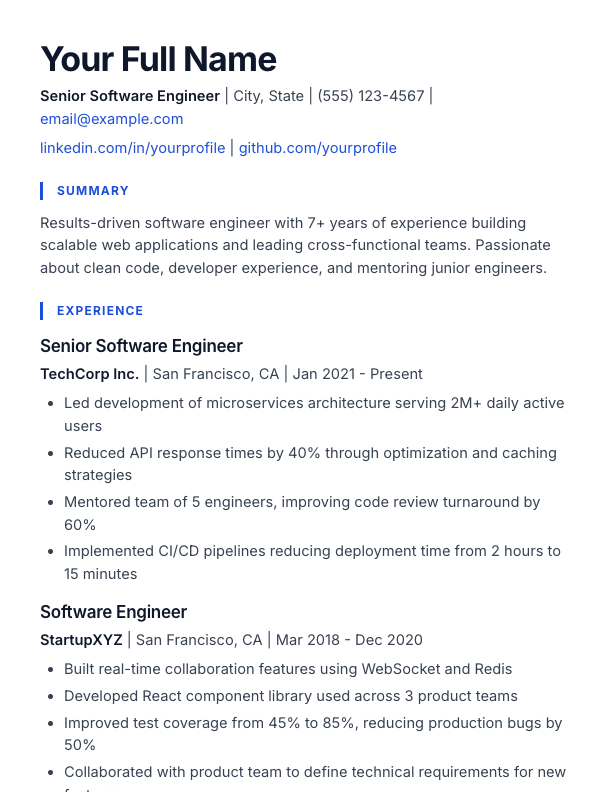
Contemporary sans-serif with blue left-border section headings and a bold, oversized name
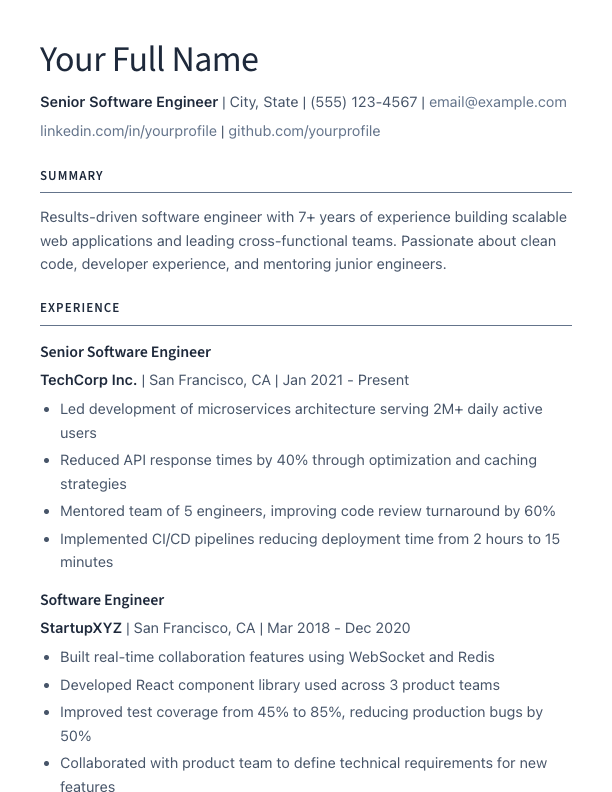
Ultra-clean layout with light typography and perfect spacing
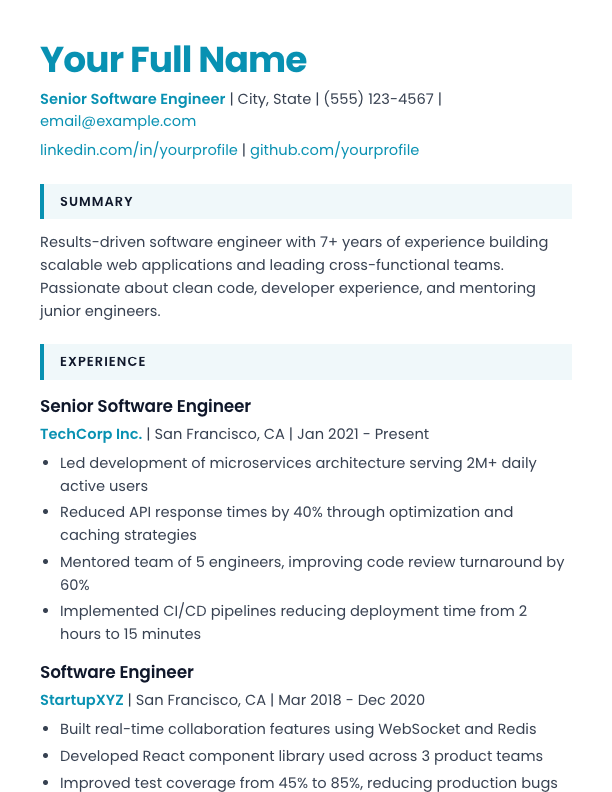
Geometric sans with a cyan name, accent-tinted section blocks, and cyan bold text
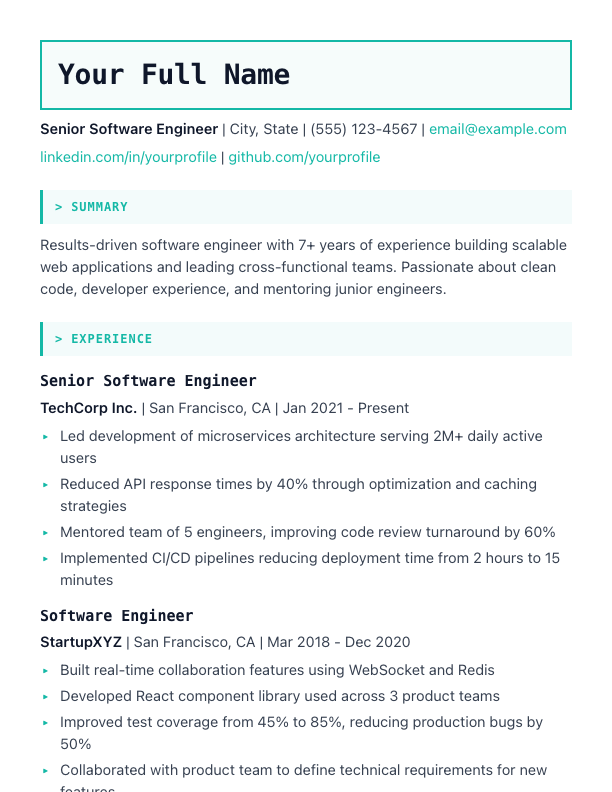
Terminal-inspired with monospace fonts and code-style aesthetics
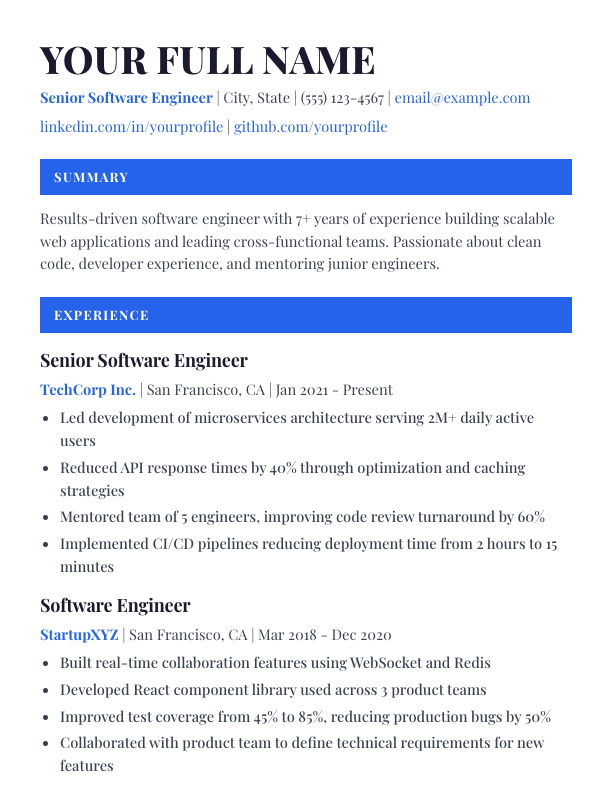
High-contrast Playfair Display serif with section headings set in solid accent bars
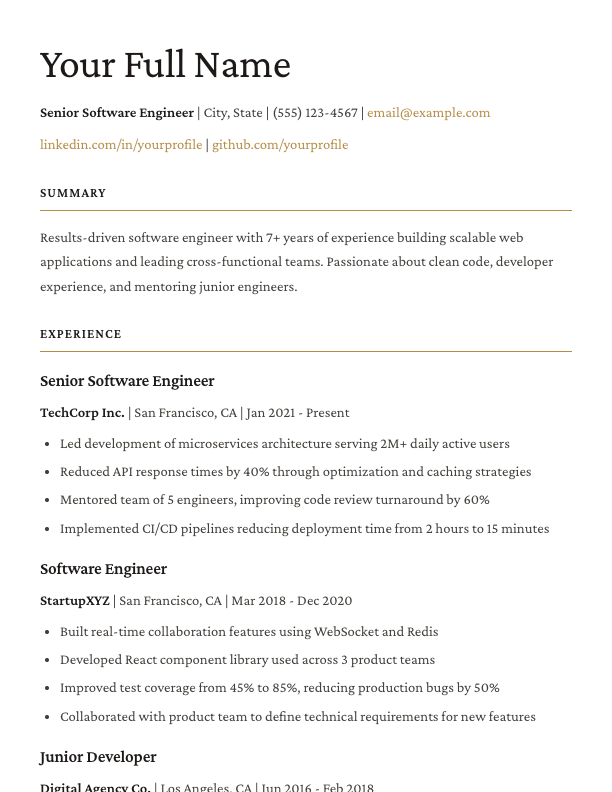
Magazine-inspired with generous whitespace and sophisticated typography
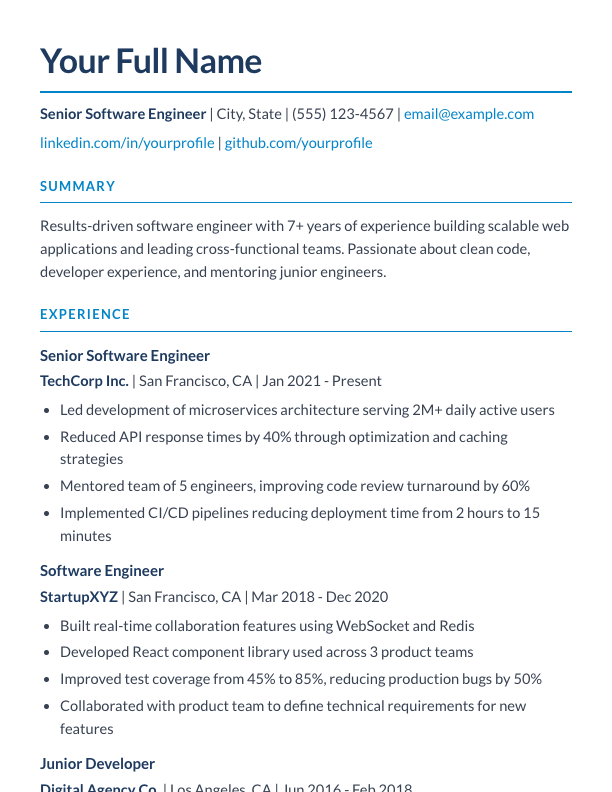
Corporate Lato sans with navy headings underlined in blue accent
Plus 24 more templates in the editor — all 32 are free
| Feature | Free | Pro |
|---|---|---|
| Markdown editor with live preview | Included | Included |
| 32 ATS-friendly templates | Included | Included |
| Multilingual & Unicode support (CJK, Arabic) | Included | Included |
| Custom colors, fonts & margins | Included | Included |
| Local storage (no account needed) | Included | Included |
| LinkedIn import | Included | Included |
| Public profile & portfolio | Included | Included |
| Share for feedback | Included | Included |
| Basic resume analytics | Included | Included |
| PDF export | Included | Included |
| DOCX, HTML, TXT export | Not included | Included |
| Cloud sync across devices | Included | Included |
| Multiple resumes | 1 | Unlimited |
| Full analytics & ATS score | Not included | Included |
| AI content generation & suggestions | Not included | Included |
| Job match preview (score only) | Included | Included |
| Job tailoring (match score + rewrite) | 1 free analysis | Unlimited |
| Cover letter generation | Not included | Included |
| Version history | Not included | Included |
| Application tracking & insights | Not included | Included |
Everything you need to know about ResumeMD
ResumeMD (resumemd.pro) is a free online resume builder designed for the AI era. The problem: tools like ChatGPT, Claude, and Gemini write great resumes — but they output plain Markdown text that looks terrible in a PDF. Traditional builders force you to re-type everything into drag-and-drop editors. ResumeMD solves this by letting you paste AI-generated Markdown directly, pick from 32 ATS-friendly templates, and export an interview-ready PDF in under 60 seconds — no signup required. Your resume stays in your browser by default and never leaves your device unless you enable cloud sync — a free account adds cloud sync, a public profile page, share-for-feedback links, and one full job-tailoring analysis. Pro users unlock unlimited resumes, AI job tailoring, cover letter generation, multi-format export (DOCX, HTML, TXT), version history, application tracking, and priority support. The MD in ResumeMD stands for Markdown.
Yes — ResumeMD is designed for AI-generated content. Paste output from ChatGPT, Claude, Gemini, or any AI tool directly into the Markdown editor. The content renders in your chosen template as you type, formatted and ready for PDF export.
No — you can start using ResumeMD immediately without creating an account. Your resume is saved locally in your browser. You only need an account if you want cloud sync to access your resume on multiple devices.
The Free plan gives you permanent access to all 32 ATS-friendly templates, the live preview editor, unlimited PDF export with no watermark, basic analytics with a job match preview, share-for-feedback links, and one full job-tailoring analysis — stored in your browser, with cloud sync for one resume once you create a free account. Pro adds unlimited resumes, DOCX/HTML/TXT export, full analytics with the ATS score, unlimited AI job tailoring, cover letters, application tracking, and version history.
Yes — the Free plan includes PDF export, which is the industry standard for job applications and ATS systems. Pro users get access to all export formats including DOCX, HTML, and Plain Text for maximum flexibility.
No. Every AI feature — job tailoring, content suggestions, and cover letters — works only from what you already wrote. It reorders, rephrases, and emphasizes; it never adds an employer, title, date, degree, certification, or skill you did not list. Where a bullet needs a number, you get a bracketed placeholder to fill in rather than an invented figure. The rule is written into the prompts themselves and held there by an automated test, and it is one of our published commitments at resumemd.pro/about#commitments.
Yes — by default, your resume is stored only in your browser’s local storage and never leaves your device. If you opt for cloud sync with a free account, your data is encrypted and stored securely with industry-standard security practices.
Yes — the Free plan is completely free with no time limits. You get permanent access to all 32 templates, the Markdown editor with live preview, PDF export, and basic analytics. Your data stays in your browser’s local storage. Upgrade to Pro anytime for unlimited resumes and AI-powered features.
Yes, you can cancel your Pro subscription at any time. When you cancel, you’ll retain Pro access until the end of your billing period. After that, you’ll automatically switch to the free local-only version.
ResumeMD is built around Markdown — the same format AI tools already output. No dragging boxes, no fighting with formatting. Write or paste your content, pick from 32 ATS-friendly templates, and export an interview-ready PDF in under 60 seconds. It is privacy-first too: your data stays in your browser unless you turn on cloud sync.
Yes — ResumeMD supports 6 languages end to end: English, Chinese, Japanese, Korean, Arabic, and Hindi. Fonts are embedded directly in the PDF, and DOCX and HTML exports carry matching multilingual fonts, so your characters do not fall back to boxes. Language-aware analytics give readability scores, action verb suggestions, and recommendations in your resume’s language. No setup required — just start writing.
Still have questions?
Email support@resumemd.proFree forever — no credit card required
Paste your AI draft. Pick a template. Interview-ready in 60 seconds. Free PDF export, 6 languages, no signup required.
Start free, upgrade when ready. No hidden fees or surprises.
No credit card required
3 months of Pro, priced for a job search
Start free forever, upgrade anytime. Cancel Pro subscription anytime, no questions asked.